
To use Classroom, you sign in on your computer or mobile device and join classes. After you join a class, you can get work from your teacher and communicate with your classmates.
You can join a class with:
- A class link—Your teacher sends you the link.
- A class code—Your teacher sends or tells you the class code.
- An email invite—Your teacher sends you the invite.
After you join a class on one device, you're enrolled in that class for all devices.
To join a class, be sure to sign in to Classroom with the correct account.
Join with an email invite (For Computer users)
Your teacher might send you an email invite. You can join the class from the email or in Classroom.
Accept the invite in Classroom
- Go to classroom.google.com.
- Make sure to sign in with the correct account. If you're already signed in and need to switch accounts, in the top-right corner, click your profile picture
 select or add your account.
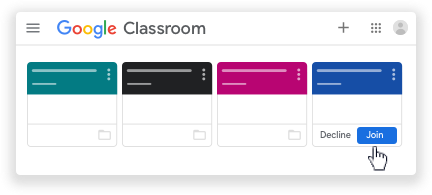
 - On the class card, click Join.
Accept the invite in your email
- Open the email program you use for Classroom.
- In the email invite, click Join.
- (Optional) If you see Class not found, click the Down arrow
 and sign in with the account you use for Classroom. Learn more.
 - Click Join.
Join with an email invite (For Android users)
Join with an email invite
 .
. select or add your account.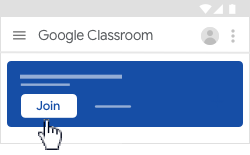
 tap Join to confirm.