Step 1
Open your Chrome browser
Step 2
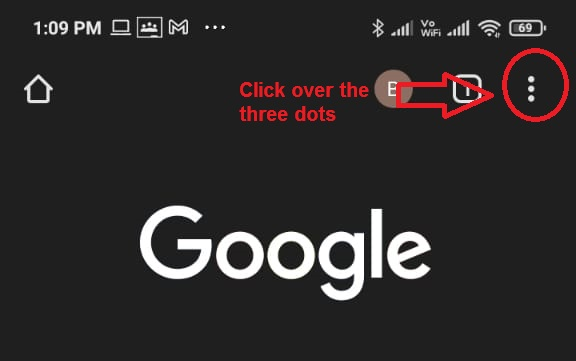
Click over the three dots as shown in the image below:-
Step 3
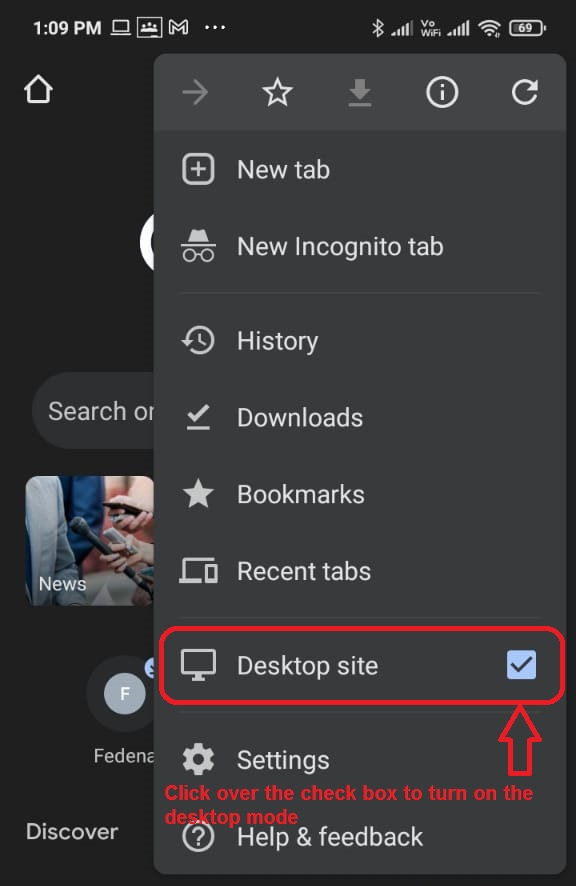
Turn on your mobile's desktop mode as shown in the image below:-
Step 4
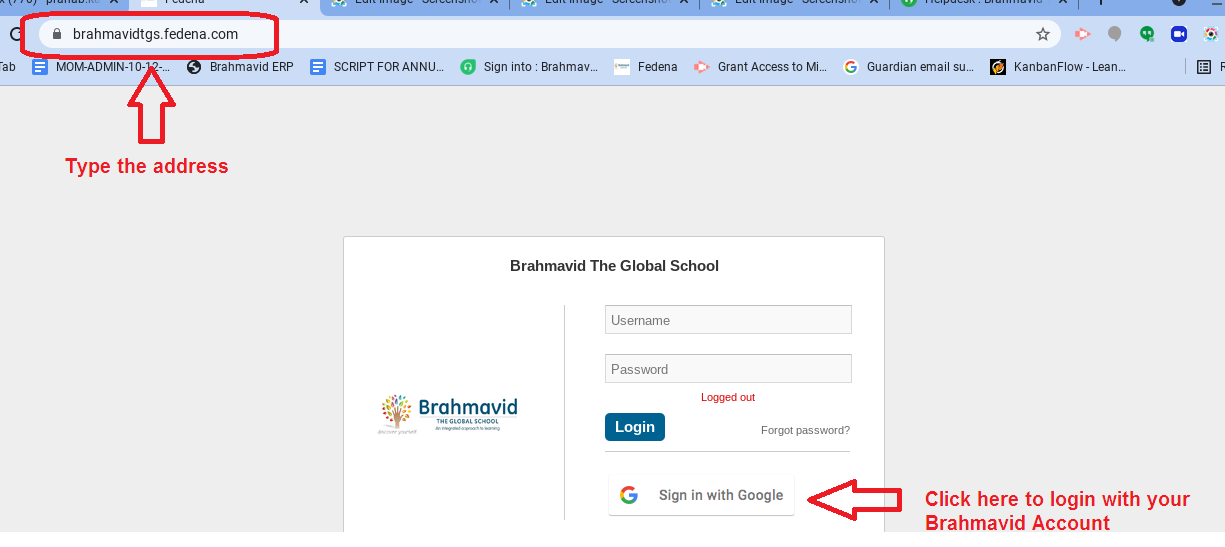
Now type the address "brahmavidtgs.fedena.com" over your address bar of your Mobile device / Desktop Chrome browser as show in the image below:-
Step 5
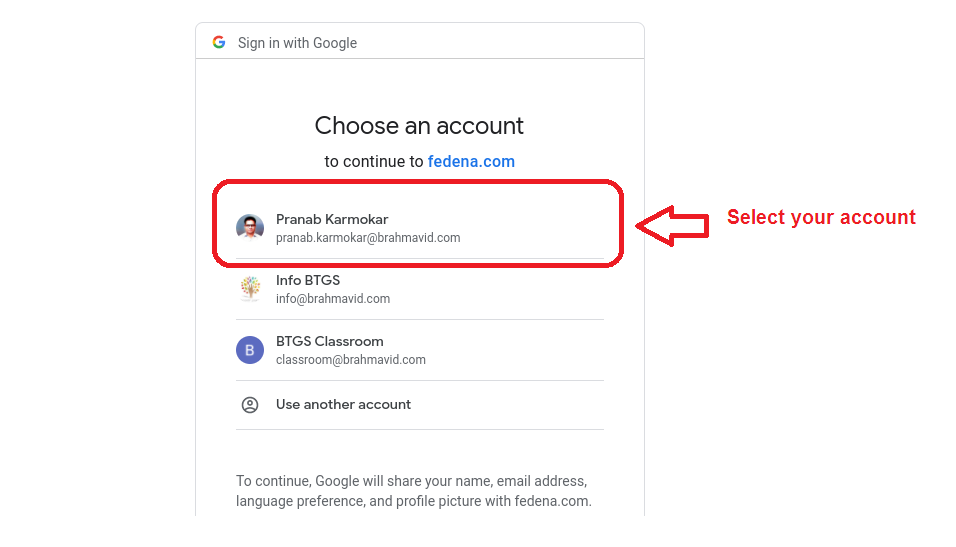
Select your Brahmavid Account
Step 6
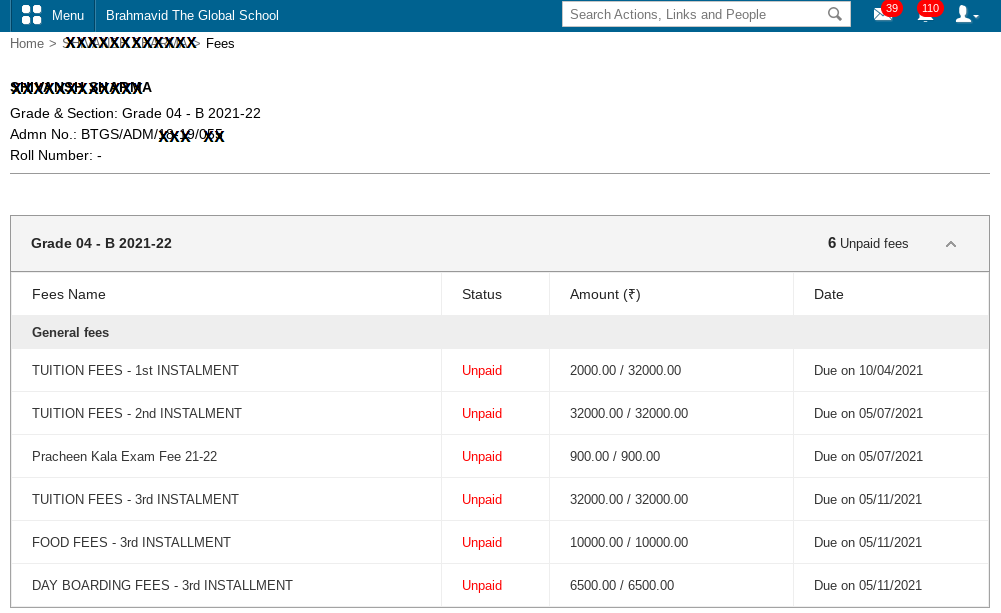
Now click over the fee menu to see the details of your paid/pending fee details as shown in the image below, click over the fee detail to proceed for payment:-
Step 7
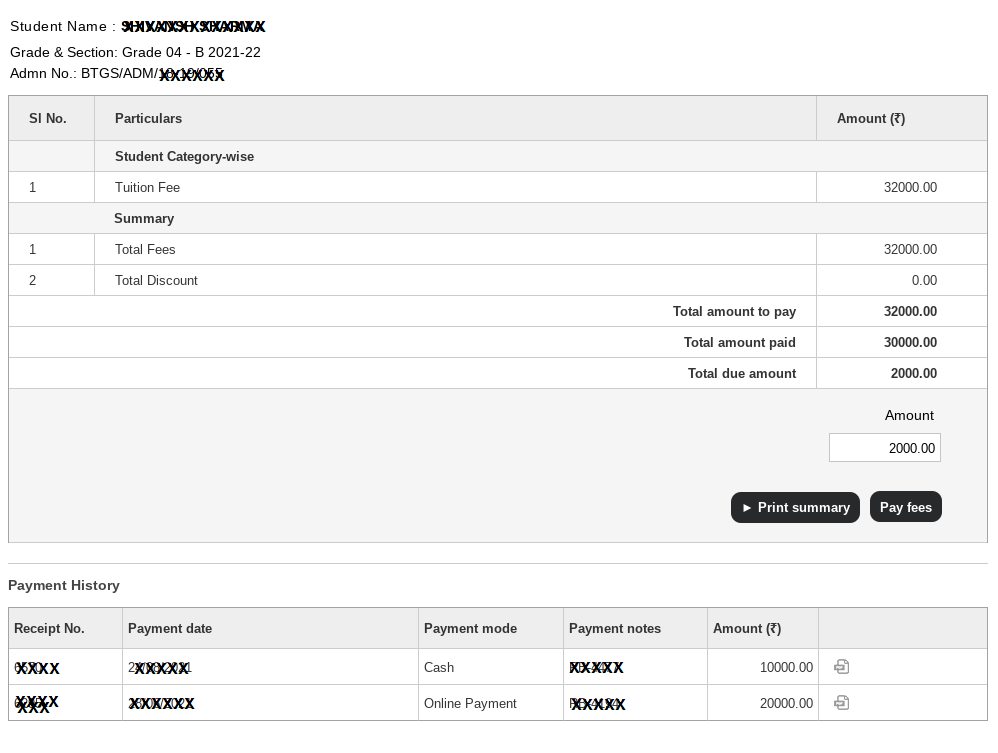
The details will be visible like below, now click over the pay fees:-
Step 8
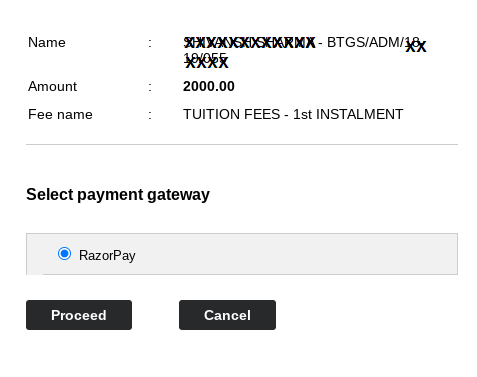
Final step to pay the fee:-